
Free WireGuard Tunnel: How to Set Up a Free WireGuard VPN Tunnel or Wireguard Server
For most readers looking for a free WireGuard tunnel, a provider with a free plan is the simplest choice. These plans typically give you access to selected endpoints and the connection settings needed to get started, although locations, speed, bandwidth, or devices may be limited. If you need more control, you can run your own infrastructure, but that requires hosting, configuration, and ongoing maintenance.
A tunnel creates a protected path between your device and a remote endpoint. Instead of sending traffic directly to the wider internet, your device sends it through that protected route first.
When choosing free access, look for a provider that clearly explains its available locations, usage limits, privacy practices, and setup requirements. For a straightforward setup, choose a service that provides the connection settings or app you need rather than requiring you to build the infrastructure yourself.
This guide explains where to find free WireGuard access, how to set up a connection, how to choose an endpoint, what to check before connecting, and how Shieldway can simplify the process.
What Is a WireGuard VPN Service Tunnel?
A WireGuard VPN connection is an encrypted connection between compatible devices or one device and a remote endpoint.
The client prepares outgoing traffic, encrypts it, and sends the resulting packets across the network. The receiving endpoint processes the packets and forwards the traffic toward its destination.
One useful result is that websites can see the public IP address associated with the remote endpoint rather than the address normally assigned to your connection.
The protocol was designed with a relatively small codebase and a focused architecture.
The WireGuard Linux implementation was designed to be less than 4,000 lines of code, according to the project's technical paper. The compact implementation was intended to make the system easier to audit and maintain.
How Does the Connection Work?
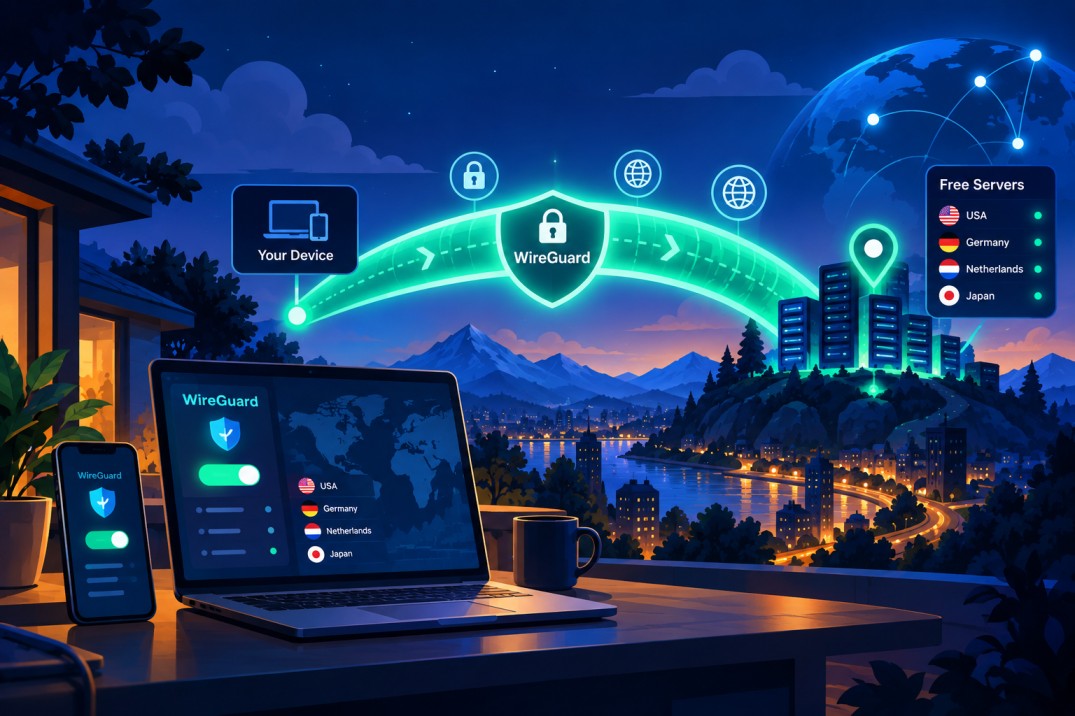
The basic process is similar whether access comes from a provider or your own infrastructure.
You normally receive credentials and connection parameters, install compatible software, and import the supplied settings. Once active, the client creates the encrypted path and sends the traffic covered by the routing rules through it.
A typical setup can contain the UDP listening port:
A private key
A public key
An assigned address
An endpoint
Allowed IP ranges
DNS information
A listening port
The exact values depend on the provider and the network design.
Why Use WireGuard for a VPN Connection?
The main attraction is a combination of straightforward design, modern security primitives, and efficient operation.
It uses Curve25519 for key exchange and ChaCha20-Poly1305 for authenticated encryption. BLAKE2 is also part of the cryptographic design.
WireGuard's protocol specification uses 32-byte Curve25519 public keys. Its cryptographic construction also specifies ChaCha20-Poly1305 for authenticated encryption and BLAKE2s for hashing and MAC operations.
Implementations are available across major desktop and mobile platforms, including Windows, Android, iOS, macOS, and the Ubuntu or similar operating systems.
For someone looking for a fast service, this lightweight approach can be useful, particularly on mobile devices and networks where connection overhead matters.
Free Access or Your Own Server?
Once you understand the basic concept, the next decision is where the endpoint should be located.
Use a Provider
The simplest route is to choose a provider that supplies access to the wireguard configuration and manages the underlying infrastructure. If you want a step-by-step guide, see how to get a free WireGuard VPN account.
You can normally use its application or import the supplied settings. The provider takes care of maintenance, operating-system updates, firewall rules, routing, and hardware.
The trade-off is that free plans may restrict bandwidth, locations, connection speeds, or the number of supported devices.
Create Your Own WireGuard Server
Another option is to rent a VPS or use a compatible machine and install the software yourself.
This approach gives you control over keys, routing, network rules, and location. It also means that you are responsible for updates, firewall configuration, access control, monitoring, and troubleshooting.
For experienced users, self-hosting can be valuable. For beginners, a managed service, like Shieldway VPN, generally requires much less technical work or not at all.
Settings Files and Connection Settings
A configuration file contains the information needed to establish the connection.
A typical configuration has an interface section and a peer section. The interface describes the local side, while the peer section identifies the remote endpoint.
A .conf file may include:
Private key
Address
DNS
Public key
Endpoint
Allowed IPs
Keepalive settings
Never publish a file containing a private key. Store connection settings securely and only import them into trusted software.
How to Set Up a WireGuard VPN Connection
Setting up a WireGuard VPN connection generally involves choosing an endpoint, obtaining the connection settings, installing a compatible client, importing the settings, activating the connection, and checking your IP address.
1. Choose an Endpoint
Pick a location that makes sense for your needs. Physical distance, network routing, congestion, and local capacity can all affect latency.
If you are using a provider, select one of its available locations. If you are managing the infrastructure yourself, choose a VPS or another suitable machine.
2. Obtain the Settings
A provider may supply a file containing the connection parameters. If you manage the system yourself, you generate the required keys and values.
The settings tell the client where to connect, which credentials to use, and what traffic should be routed through the connection.
3. Install a Compatible Client
Install software appropriate for your operating system. Windows, Android, iOS, macOS, and other supported platforms have compatible options.
Some providers also supply a dedicated client app that handles the setup automatically.
4. Import the Settings
If you receive a .conf file, import the config into the application.
On mobile devices, some providers let you scan the QR code generated for the connection. This can be easier than entering every value manually.
5. Activate the Connection
Turn on the connection and wait for the remote endpoint to respond.
Once active, traffic covered by the routing rules follows the protected path.
6. Check Your IP Address
After connecting, check your public IP address. It should normally correspond to the remote location rather than your normal public address.
How Encryption Actually Works
Encryption prevents readable traffic from crossing the network in its original form.
The design uses ChaCha20 for encryption and Poly1305 for authentication. Curve25519 supports key exchange, while BLAKE2 contributes to the security design.
WireGuard's protocol uses ChaCha20Poly1305 authenticated encryption, with Curve25519 used for key exchange and BLAKE2s included in the protocol construction.
The key exchange process allows the endpoints to establish shared session material without transmitting private keys across the network.
This is why private keys should be protected carefully. A leaked key can allow an unauthorized party to impersonate the associated peer, depending on the surrounding setup.
How to Choose the Best VPN Server Location
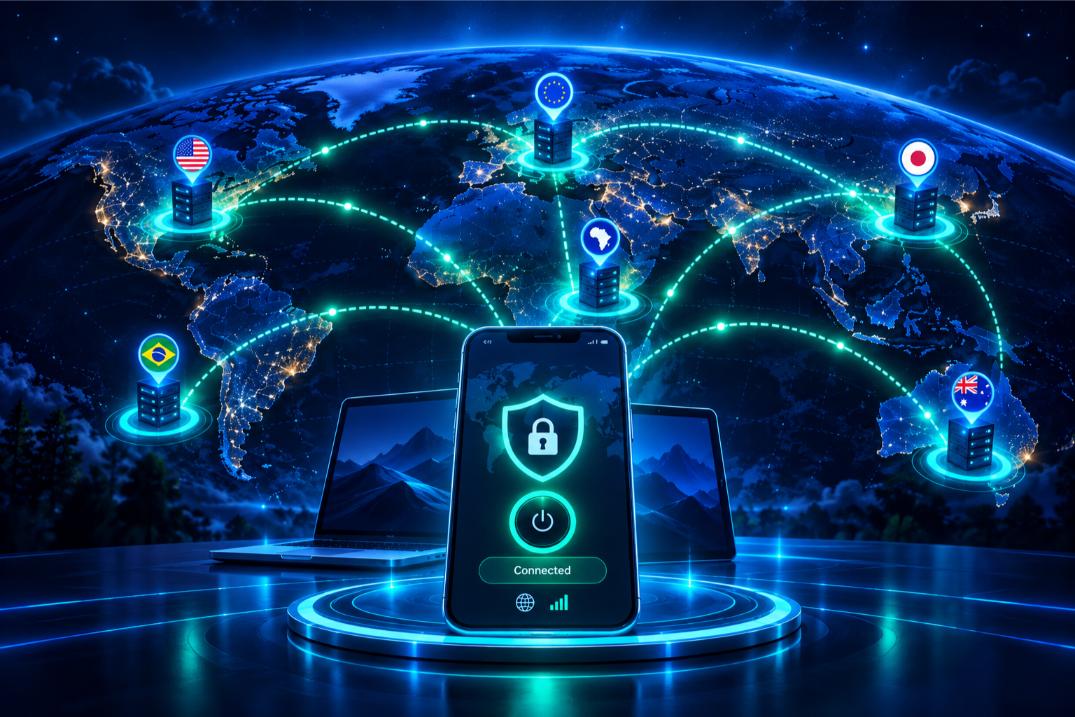
Location can have a noticeable effect on latency and reliability.
A nearby endpoint often means fewer network hops and a shorter physical path. However, the closest option is not automatically the fastest because routing and congestion also matter, especially when it comes to free WireGuard servers.
Europe
European locations can be useful for users in Europe who want relatively short routing while connecting through another network.
America
American locations can provide a North American public address and may be useful when a US or Canadian endpoint is needed.
Asia
Asian locations can provide practical routing for users in countries across the region.
Africa
African endpoints can be useful when a local regional address is required.
Australia
Australian locations can provide a more suitable route for users in Australia and nearby countries.
What Should You Check Before Using Free Access?
Free access can be useful, but the operator behind an endpoint matters.
Before connecting, check:
Who operates it
Where the endpoint is located
Whether usage is limited
What privacy information is provided
How long the supplied settings remain valid
Whether credentials are handled securely
A low price should not be the only consideration. You are still trusting the operator with traffic that passes through its infrastructure.
When Should You Use a VPN?
A VPN is useful when you want to protect traffic on public Wi-Fi, hide your normal IP address from websites, access resources remotely, or route your connection through another location. It can also add a layer of privacy when browsing on networks you do not fully trust.
Public Wi-Fi
The service can protect traffic between your device and the remote endpoint when using shared networks at airports, hotels, cafes, and similar locations, as well as provide state-of-the-art cryptography.
Protecting Your IP Address
A remote connection with your WireGuard client can replace the public address visible to websites with the address associated with the endpoint. This adds a layer of privacy during browsing as well as better performance for your device.
Remote Access
A protected connection to your VPN protocol, like WireGuard, can provide access to resources on a home or business network while you are away.
Everyday Browsing
You can use a virtual private network when you want traffic to travel through another network instead of directly through your internet provider.
And take a look at this statistic: Mobile devices accounted for more than 40% of global web requests in Cloudflare's 2025 Internet traffic measurements.
VPN Usage and Privacy Statistics
VPN adoption in the USA has grown significantly in 2026, with surveys reporting widespread use for privacy and security purposes. For example, a Security.org survey of 1,008 U.S. adults found that 42% used a VPN for personal or work purposes, compared with 32% in 2025. General privacy was the most commonly reported reason at 56%, followed by general security at 51%.
Free access is also significant among existing users. Security.org reported that 43% of VPN users relied on a free VPN in 2026, compared with 28% in 2025.
Can a VPN Make Your Internet Faster?
The service is not automatically faster than your normal connection.
Performance depends on your ISP, local network, endpoint distance, congestion, and available capacity. If a connection feels slow, trying another location can help.
A less congested endpoint may provide better results than a heavily used one.
For streaming, gaming, downloads, and video calls, latency and stability can matter as much as maximum download speed. But, as mentioned above, it does ensure your online privacy as well as perfect forward secrecy.
How to Improve VPN Speed and Stability
If the connection feels slow, test a different location first (Shieldway offers more than 90 locations for encrypting your connection).
Then compare a nearby endpoint with a more distant one and see whether the issue happens only on Wi-Fi or across other networks.
Other factors include:
Network congestion
Server load
ISP routing
Local network quality
Available bandwidth
Device performance
Distance to the endpoint
A high-speed service still depends on the underlying internet connection.
WireGuard vs OpenVPN and IPsec
WireGuard favors a lean, modern design focused on simplicity and efficient operation, while OpenVPN and IPsec are established alternatives with their own architectures and configuration approaches. The right option depends on factors such as compatibility, existing infrastructure, performance requirements, and how much control you need over the setup.
What this means is that WireGuard is not the only option available.
OpenVPN is a mature technology with extensive configuration options and long-standing adoption. IPsec is another established approach used widely in enterprise and network environments.
The newer design emphasizes a smaller architecture and modern cryptographic primitives.
The project was merged into the mainline kernel in version 5.6, making it part of the standard kernel from that release onward. Also, WireGuard was added to the Linux 5.6 kernel with Linux Kernel Newbies listing WireGuard among the prominent networking features of that release.
The choice between technologies depends on compatibility, security requirements, network conditions, and the features you need.
Can You Use WireGuard on a Router?
Compatible routers can route traffic from several devices through the same connection.
This can be useful for computers, phones, televisions, consoles, and other equipment on a home network.
The main limitations are hardware compatibility, available processing power, and the software supported by the router. But, if you support, you are guaranteed that your online activity will be only for your eyes to see.
Using a VPN on Multiple Devices
The number of devices you can connect depends on the provider and plan. Free plans may limit simultaneous connections or supported devices, while paid plans often allow more devices at the same time.
Before choosing a service, check the plan's device limit and whether the limit applies to registered devices, active connections, or both.
Now, a modern service can be useful if you regularly move between a laptop, smartphone, and tablet. Cross-platform support is therefore worth checking before signing up.
Cloudflare reported that global Internet traffic increased by 19% during 2025, reflecting continued growth in connected devices and online services.
Check how many devices your plan supports and whether a free option limits simultaneous connections.
What a VPN Can and Cannot Do
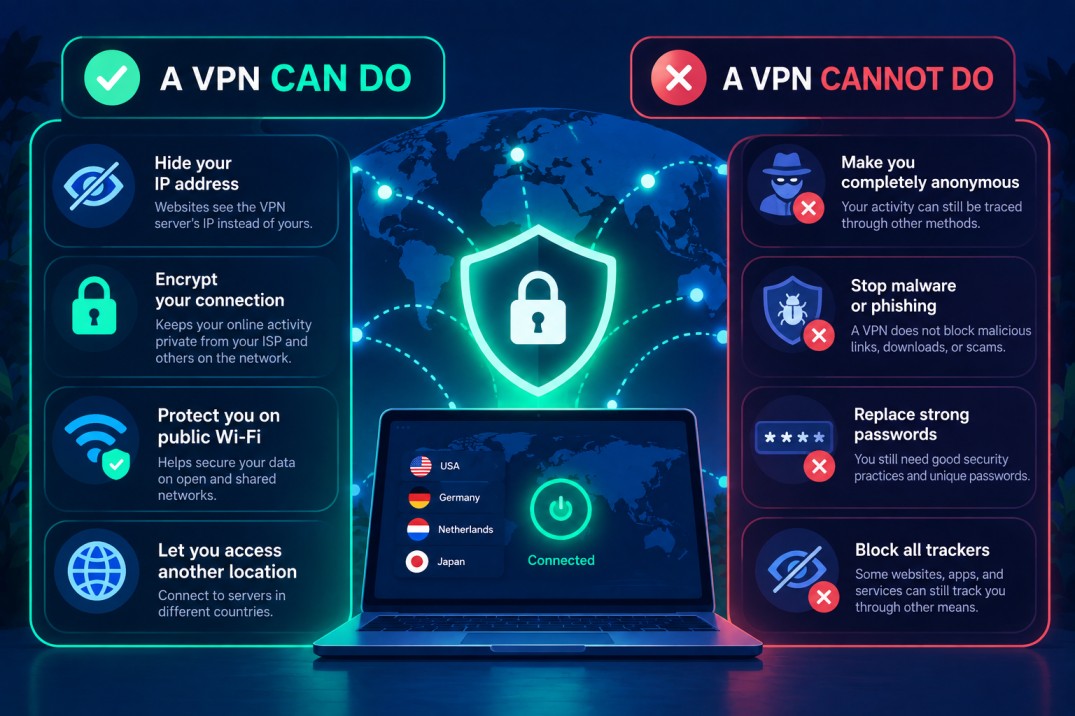
A VPN provides useful privacy and security benefits, like masking your IP address and hiding your digital footprint, but it is not a complete security solution.
A VPN Can Do | A VPN Cannot Do |
|---|---|
Hide your IP address from websites and online services | Make you completely anonymous |
Encrypt your connection and protect data in transit | Stop malware, phishing, or malicious downloads |
Help protect your connection on public Wi-Fi | Replace strong passwords or other security practices |
Let you connect through a server in another country | Block every tracker or form of online tracking |
Good security still requires safe browsing habits, strong credentials, software updates, and careful handling of sensitive information.
Is a Free Tunnel Safe?
A free option can be secure, but the operator matters.
The technology can provide strong encryption, yet your traffic still passes through the remote endpoint. You should therefore consider who operates it, where it is located, and what policies apply.
Be especially careful with unknown files. Do not import a connection simply because it promises free access. Verify the source first.
How Shieldway Simplifies Setup
Shieldway simplifies access by handling the underlying infrastructure and connection setup, so you do not have to build and maintain your own environment. Instead of managing servers, keys, routing, and system maintenance yourself, you can use the available application and supplied connection settings.
Running your own infrastructure can be useful if you enjoy networking and system administration. It also requires ongoing maintenance.
You may need to manage SSH access, keys, firewall rules, updates, routing, settings, and system maintenance.
Shieldway provides a simpler alternative for people who want VPN access without managing all of that infrastructure themselves.
Instead of building the environment from scratch, users can connect through the available application and supplied settings.
This approach can be useful for people who want modern protection without taking responsibility for the underlying infrastructure.
Ready to get started? Download Shieldway VPN and set up your connection.
Common Service Myths and Facts
Free VPN services and WireGuard setups are often surrounded by misconceptions about safety, speed, anonymity, and how the technology works. The points below clarify some of the most common claims and explain what you should realistically expect.
A VPN Makes You Completely Anonymous
Myth. It can improve privacy, but anonymity depends on many other factors.
Free VPNs Are Always Unsafe
Myth. Free services vary. The provider's policies, infrastructure, and practices matter.
A Service Always Makes Internet Speed Slower
Myth. Results depend on location, routing, congestion, and network conditions.
WireGuard Only Works on Linux
Myth. Compatible implementations exist on many platforms.
You Must Build a Server to Use WireGuard
Myth. A provider can supply the infrastructure and connection settings.
Frequently Asked Questions
Here are answers to the most common questions about free WireGuard access, including how to get a connection, set up the client, choose an endpoint, and understand the limitations of free plans. Whether you are using a provider or setting up your own infrastructure, these answers cover the key points to know before getting started.
Is there a free VPN that uses WireGuard?
Yes. Some providers offer free access using the protocol, although bandwidth, locations, and features may be restricted.
Can I use WireGuard for free?
Yes. The software is open-source and free to use. You still need an endpoint, either your own or one supplied by a provider.
Is there a free endpoint available?
Yes. Free endpoints exist, although reliability, privacy policies, and availability vary.
How can I get a configuration?
You can receive one from a provider or generate one for your own infrastructure.
What is WireGuard and how does it work?
It is an open-source protocol that creates encrypted connections between peers using modern cryptographic techniques.
How do I set up a VPN connection?
Choose an endpoint, obtain the settings, install compatible software, import the values, activate the connection, and verify your public address.
Where can I download the software?
Compatible clients are available for major operating systems and supported devices. Use trusted sources when downloading software.
Is WireGuard safe to use?
The protocol uses modern cryptography, but overall security also depends on the endpoint, client, settings, and provider.
What are the benefits?
Its main advantages include a lightweight architecture, modern cryptography, relatively simple setup, and broad platform support.
How does it compare to OpenVPN?
Both are established technologies. WireGuard emphasizes simplicity and modern cryptography, while OpenVPN provides extensive configuration options and is widely deployable for many years.
Can I use it on Android?
Yes. Android supports compatible clients and applications.
Can I use it on iOS?
Yes. Compatible applications, like Shieldway or ExpressVPN, can establish protected connections on iOS.
Can I use it on a router?
Yes, if the router supports the required functionality.
Does a VPN hide my IP address?
When traffic is correctly routed through the remote endpoint, websites generally see that endpoint's public address instead of your normal one.
Do free plans have unlimited bandwidth?
Not necessarily. Free plans can impose bandwidth, location, speed, or device restrictions.
Conclusion
A free option can be a useful way to explore modern VPN technology, protect traffic on untrusted networks, or reach a private network remotely.
Technically experienced users can create their own infrastructure and control the environment, but that approach requires networking knowledge, security awareness, and ongoing maintenance.
For users who do not want to manage keys, firewalls, routing, and system maintenance, a dedicated provider can make the experience much simpler.
Shieldway provides a managed WireGuard service with desktop applications for Windows, macOS, and x86_64 Linux. Its free access currently requires enabling ByteConnect bandwidth sharing, which the app explains before activation. without building and maintaining the underlying infrastructure.
Just download Shieldway VPN and take control of your online privacy with a simple, secure connection.