

Is WireGuard Safe? WireGuard VPN Security, Privacy & Encryption Explained
Yes, WireGuard is generally considered a secure VPN protocol because it uses modern cryptography, authenticated encryption, and a relatively small codebase. However, the protocol alone cannot guarantee complete privacy. Your protection also depends on the VPN provider, server configuration, IP address handling, and whether your internet traffic stays inside the encrypted tunnel.
WireGuard is an open-source VPN protocol designed to establish secure connections between authorized devices. Its streamlined design can provide an efficient VPN experience without the complexity of some older VPN protocols. It is suitable for many use cases, including everyday browsing, public Wi-Fi, and connecting remote networks.
However, WireGuard has limitations. It does not provide built-in traffic obfuscation, does not natively tunnel over TCP, and is not post-quantum secure by default. Understanding these trade-offs will help you decide whether a WireGuard VPN is the right choice for your security and privacy needs.
What Is WireGuard VPN and How Does the WireGuard Protocol Work?
WireGuard is a VPN protocol that creates an encrypted connection between authorized devices, allowing network traffic to travel through a protected tunnel. It uses public-key cryptography to authenticate peers and establish shared session keys, protecting data as it moves across an untrusted network.
Unlike a complete VPN service, WireGuard provides the underlying technology for the connection. You can configure it on your own server or use it through a commercial VPN provider. Its relatively simple architecture is designed to make configuration easier while maintaining strong security.
How Does WireGuard Work to Establish a Secure VPN Connection?
WireGuard uses public and private keys to establish authenticated connections between peers. Each peer has a private key that must remain secret and a corresponding public key that can be shared with other authorized peers.
After the handshake succeeds, the peers can exchange encrypted network packets. WireGuard uses UDP to transport these packets and supports endpoint roaming, allowing a peer's network address to change without necessarily requiring a completely new configuration.
A VPN tunnel protects traffic routed through it. However, traffic that bypasses the tunnel may remain exposed to the local network or internet service provider.
For technical setup details, consult the official WireGuard documentation.
What Encryption Does WireGuard Use to Protect Your Data?
WireGuard uses ChaCha20 for symmetric encryption and Poly1305 for authentication. Its cryptographic design also incorporates Curve25519 for key exchange, BLAKE2s for hashing, and HKDF for key derivation.
Together, these components help protect the confidentiality and integrity of traffic transmitted through the tunnel. Authentication is important because a secure VPN connection must not only prevent unauthorized parties from reading data but also detect attempts to modify it.
WireGuard uses a deliberately fixed set of cryptographic algorithms rather than allowing extensive negotiation between different options. This reduces configuration complexity, although changing its cryptographic design requires changes to the implementation.
How Does a WireGuard VPN Tunnel Work on an Operating System?
A WireGuard implementation creates a virtual network interface through which routed traffic can pass. The interface handles outgoing packets by encrypting them for the appropriate peer and processes incoming packets after verifying and decrypting them.
The exact implementation varies by operating system. WireGuard can integrate with the Linux kernel, while other platforms use their own supported implementation and networking mechanisms.
Correct routing is essential. If the operating system sends certain traffic outside the VPN interface, that traffic will not receive the tunnel's protection. DNS settings, firewall rules, and IPv6 handling should therefore be configured carefully.
Why Does WireGuard Use a Minimal Codebase in the Linux Kernel?
WireGuard was designed around a relatively small, focused codebase. On Linux, its kernel implementation allows VPN operations to integrate closely with the operating system's networking stack.
A smaller implementation can be easier to inspect, maintain, and audit than a more complex one. It may also reduce unnecessary overhead and improve efficiency on supported systems.
However, fewer lines of code do not automatically make software secure. Implementation quality, updates, configuration, and independent security analysis remain important. You can review the project's formal verification information.
How Secure Is WireGuard? Understanding WireGuard Security

WireGuard provides strong encryption and authentication when implemented and configured correctly. Its cryptographic design helps protect data against interception and tampering, but it cannot prevent every threat involving compromised devices, exposed keys, insecure servers, or malicious software.
How Does WireGuard Encryption Protect Your VPN Connection?
When internet traffic is correctly routed through WireGuard, local network observers and your internet service provider generally cannot read the contents of that encrypted traffic.
Websites normally see the public IP address of the VPN exit server instead of your original public IP address. This is useful when connecting through public Wi-Fi, where other people may share the same network.
However, your ISP can generally identify that you are connecting to a VPN server and observe connection metadata such as timing and traffic volume. Websites can also identify you through account logins, cookies, browser fingerprinting, and information you voluntarily share.
WireGuard protects traffic inside the tunnel; it does not automatically make you anonymous or protect traffic that bypasses the connection.
How Do Public and Private Keys Keep WireGuard Secure?
WireGuard uses public-key cryptography to authenticate peers and establish the keys used to protect network traffic.
The public key identifies a peer and can be shared as part of the configuration. The private key must remain confidential because its exposure could allow an attacker to impersonate an authorized peer, depending on the surrounding configuration.
WireGuard also supports forward secrecy for data traffic, helping limit the consequences of a later compromise of a long-term key. Nevertheless, key management remains essential. Store private keys securely, restrict access to configuration files, and replace compromised keys promptly.
What Makes the WireGuard Protocol a Secure VPN Protocol?
Several design choices contribute to WireGuard's security:
Authenticated encryption: Helps protect data confidentiality and detect unauthorized modification.
Public-key authentication: Allows peers to establish trusted connections.
A focused cryptographic design: Limits unnecessary algorithm negotiation and configuration complexity.
Replay protection: Helps prevent previously captured packets from being accepted as new traffic.
A streamlined implementation: Makes the protocol's design more manageable to analyze.
These characteristics make WireGuard a strong choice for many everyday VPN applications. However, a secure protocol cannot compensate for compromised endpoints, poor server security, or an untrustworthy provider.
What Do Security Experts Say About WireGuard's Security?
Formal verification and cryptographic analysis provide evidence about particular security properties of WireGuard. However, an assessment of the protocol is not the same as an independent audit of every VPN application, server, or service that uses it.
When evaluating a VPN, look for transparent technical documentation, regular software updates, and independent audits that explain what was assessed. Check whether an audit covers the protocol, the provider's applications, its infrastructure, or its logging practices.
Do not assume that an audit of WireGuard automatically verifies the privacy claims of a commercial VPN provider.
Is WireGuard Safe for Privacy? VPN Servers, IP Addresses, and Logs
WireGuard can protect traffic through encryption, but privacy also depends on how a VPN provider handles connection information, IP addresses, and logs. The protocol does not require every provider to retain browsing histories or store users' IP addresses indefinitely.
For more information, read Shieldway's WireGuard privacy guide.
Does a WireGuard VPN Hide Your Real IP Address?
Yes. A properly configured commercial WireGuard VPN normally hides your original public IP address from websites by routing traffic through a VPN server. Websites generally see the public IP address of the VPN exit server instead.
Your ISP still knows your original IP address, and the VPN provider may process it to establish and maintain your connection. DNS leaks, incorrect routing, and traffic outside the VPN tunnel can also expose information.
To reduce these risks, use a reliable kill switch, check DNS handling, and test for IPv4 and IPv6 leaks. Remember that logging in to a personal account can still identify you even when your real IP address is hidden.
Does a WireGuard VPN Server Store Your IP Address?
There is no universal rule requiring every WireGuard implementation to store IP addresses indefinitely. The protocol maintains peer and endpoint information needed to operate connections, but the retention of historical data depends on the server configuration and provider's implementation.
For example, Proton VPN explains its WireGuard privacy implementation, which uses fixed internal addressing and double NAT to manage connections without retaining users' IP addresses as described in its policy.
This is a provider-specific approach, not a default feature shared by every WireGuard VPN. When evaluating a service, distinguish between temporary operational information needed for an active connection and historical logs retained after the connection ends.
Can a VPN Provider Track Your Activity When You Use WireGuard?
Potentially, yes. A VPN provider operates the exit infrastructure and may have technical access to certain connection information. What it can observe or retain depends on its architecture, implementation, and logging practices.
A meaningful privacy policy should explain whether browsing destinations, DNS queries, traffic contents, original IP addresses, session details, and bandwidth usage are recorded.
Shieldway's published No-Logs Policy says it does not retain browsing destinations, DNS queries, traffic contents, or per-destination VPN activity. It also describes operational connection data and separate processing by ByteConnect when its bandwidth-sharing feature is enabled. Shieldway states that its no-logs policy has not yet been independently audited.
These details matter when comparing services. Read the complete policy and understand its limitations rather than relying on a marketing claim alone.
How Does Your VPN Server Handle WireGuard Connection Data?
A WireGuard server needs operational information to identify peers and deliver packets to the correct destination. Depending on the implementation, this can include public keys, endpoint information, allowed IP addresses, and connection state.
Handling this information to operate a live connection is not necessarily the same as retaining a historical record of a user's browsing activity.
Before choosing a service, find out what connection information it processes, whether it stores that information after disconnection, and whether its privacy policy explains the reasons for collection. A trustworthy provider should make these distinctions clear.
Can WireGuard Be Hacked? Security Risks and Protocol Limitations
WireGuard is not immune to every security threat, but its encryption is not simply easy to break. In real-world scenarios, risks often involve compromised devices, exposed private keys, incorrect routing, vulnerable software, or insecure server configurations.
What Security Vulnerabilities Can Affect the WireGuard Protocol?
Potential risks include software vulnerabilities, stolen keys, denial-of-service attempts, and attacks against the operating system or server.
The official project also documents trade-offs involving endpoint information, identity hiding, and denial-of-service resistance. These limitations do not mean attackers can automatically decrypt properly protected traffic.
Keep your applications updated, protect private keys, restrict access to servers, and configure firewalls carefully. If you run your own server, maintain the underlying operating system as well as the VPN software.
Can a WireGuard VPN Connection Leak Your IP Address?
Yes. A VPN connection can expose your original IP address if traffic bypasses the tunnel, the VPN disconnects without effective protection, or routing and DNS settings are incorrect.
A kill switch can reduce the risk by blocking traffic when the VPN connection drops. You should also check that IPv6 traffic is handled correctly and that DNS queries are not sent through an unprotected connection.
These checks are particularly important when using a VPN for sensitive activities. Encryption is only effective for traffic that actually passes through the encrypted tunnel.
Can Networks Detect or Block WireGuard VPN Traffic?
Yes. WireGuard does not include built-in traffic obfuscation, so network administrators may be able to identify or block its connections. Because the protocol uses UDP, networks that restrict UDP traffic may also prevent it from working.
The official WireGuard known limitations page explains that obfuscation must be provided separately.
If you need a VPN in a restrictive network, check whether the provider offers alternative connection methods or additional traffic-disguising technology. Do not assume that every service using WireGuard can bypass network restrictions.
Is WireGuard a Secure VPN Protocol for Public Wi-Fi?
Yes. WireGuard can protect traffic routed through its encrypted connection, reducing the risk of local network observers reading unencrypted data.
For better protection, use an updated application, enable the kill switch, and check DNS and IPv6 handling. Continue using HTTPS websites and avoid ignoring certificate warnings.
A VPN cannot make a malicious Wi-Fi hotspot harmless, nor can it prevent phishing, malware infections, or data theft from a compromised device.
Comparing WireGuard with Other VPN Protocols: Which Is More Secure?
WireGuard, OpenVPN, and IKEv2 can all provide strong security when properly implemented and configured. Comparing WireGuard with other protocols means considering compatibility, privacy, connection reliability, and the features you need rather than assuming one option is always the safest.
WireGuard vs. OpenVPN: Which VPN Protocol Offers Better Security and Speed?
WireGuard uses a focused design and a fixed cryptographic suite, while OpenVPN supports a broader range of configuration options and can use either UDP or TCP. Both protocols can provide secure encrypted connections.
Many users ask whether WireGuard is faster than OpenVPN. WireGuard is faster than OpenVPN in some environments, particularly where its lower overhead benefits the device and network. However, actual speeds depend on server load, distance, hardware, connection quality, and implementation. It is not guaranteed to be faster in every test.
WireGuard is an appealing option when efficiency and simplicity are priorities. OpenVPN may be preferable when TCP support or particular compatibility options are required.
WireGuard vs. IKEv2: Which Protocol Is Better for Your VPN Connection?
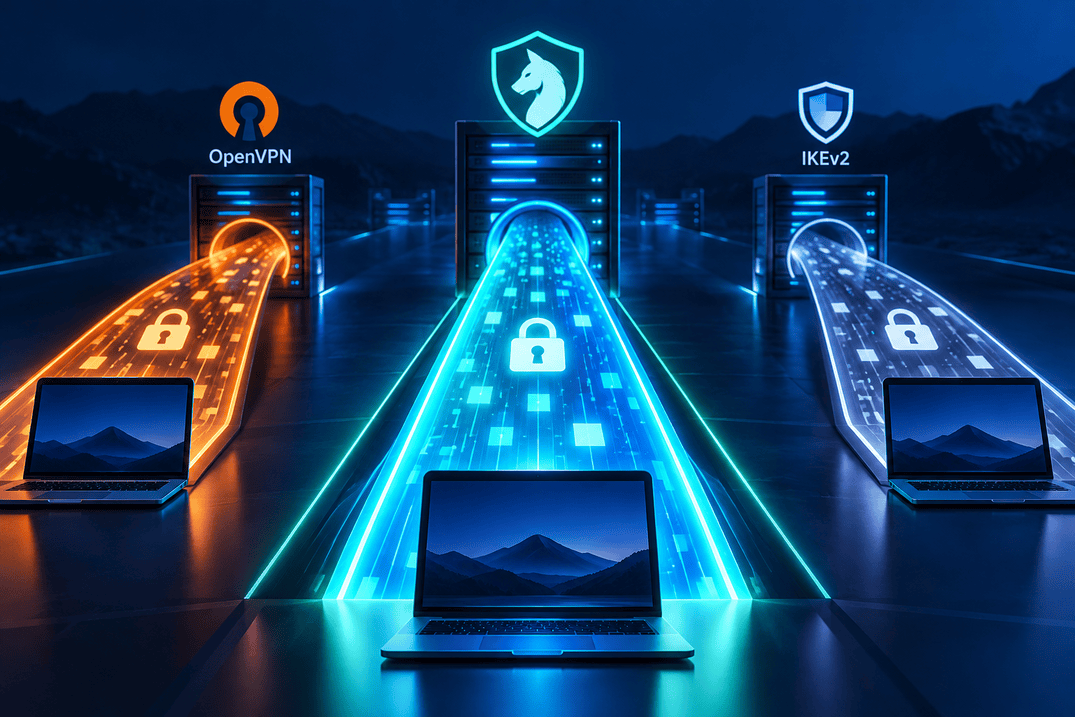
IKEv2, commonly paired with IPsec, is another established VPN option. It is often valued for connection stability when devices switch between Wi-Fi and mobile networks.
WireGuard also supports endpoint roaming and is designed for efficient connections. Neither protocol guarantees greater privacy solely because of its name. Logging practices, DNS handling, routing, and the provider's policies remain important.
The best choice depends on your device, network, and the features offered by your VPN service.
Is WireGuard Faster Than Other VPN Protocols?
WireGuard can offer strong performance because its design aims to reduce complexity and overhead. However, speed depends on more than the protocol itself.
Server capacity, network congestion, geographical distance, device hardware, and application implementation all influence the result. A well-configured OpenVPN or IKEv2 connection may perform better than a poorly configured WireGuard server.
For a fair comparison, test the same provider's servers under similar conditions and examine both download and upload speeds, latency, and connection stability.
When Should You Use WireGuard Instead of Other VPN Protocols?
Use WireGuard when you want a modern protocol with strong cryptographic protection, a streamlined design, and efficient operation. It is a good option for many everyday VPN use cases, including public Wi-Fi and remote access.
Consider an alternative if your network blocks UDP, you require native TCP tunnelling, or you need traffic obfuscation. These features are not built into WireGuard itself.
The most appropriate protocol is the one that meets your security and compatibility requirements while being implemented correctly by your chosen provider.
What Are the Main WireGuard VPN Benefits and Use Cases?
WireGuard combines modern cryptography with an efficient design, making it suitable for many personal and professional VPN use cases. Its main benefits include streamlined implementation, strong encryption, and support across major operating systems, while its limitations include the lack of native TCP tunnelling and built-in obfuscation.
Why Use WireGuard for a Secure VPN Connection?
WireGuard offers several advantages:
Modern encryption: Authenticated encryption and established key-exchange mechanisms help protect traffic.
Efficient operation: Its focused design can reduce overhead, although real-world performance varies.
Simpler implementation: A smaller codebase can be easier to review and maintain.
Cross-platform support: Clients are available for major desktop and mobile operating systems.
Endpoint roaming: Connections can accommodate changes in network addresses.
These characteristics make WireGuard a useful VPN solution for protecting everyday connections and connecting remote systems.
How Do WireGuard's Performance and Ease of Use Compare with Other VPNs?
WireGuard is designed to minimize complexity and make secure connections efficient. Many users appreciate its relatively straightforward configuration and low overhead.
However, ease of use depends on how you access the technology. A commercial VPN app usually handles key management, server selection, and connection settings for you. Running WireGuard independently requires more networking knowledge.
For many people, a managed VPN service offers the simplest way to benefit from the protocol without configuring a server manually.
What Are the Main Disadvantages of the WireGuard VPN Protocol?
WireGuard has several limitations:
It does not natively tunnel over TCP.
It does not include built-in traffic obfuscation.
Privacy depends on the provider's implementation and data-handling practices.
Self-hosting requires ongoing security maintenance.
It is not post-quantum secure by default.
These are design trade-offs rather than evidence that WireGuard is inherently unsafe. Consider your network requirements before choosing a protocol.
Which Operating Systems Support WireGuard?
WireGuard is available for Windows, macOS, Linux, Android, and iOS. Setup instructions and available features depend on the operating system and application.
Download clients from official sources or trusted VPN providers. Protect configuration files containing private keys and keep the application and operating system updated.
Does WireGuard Work on Linux, Windows, macOS, Android, and iOS?
Yes. WireGuard supports all five platforms, although installation and configuration differ.
On Linux, users may configure WireGuard through system networking tools. Desktop and mobile users can install a compatible application or use a VPN provider's integrated client. In every case, correct routing, key management, and software updates are important for security.
How to Secure a WireGuard VPN Server and Protect Your Private Key
You can improve WireGuard security by protecting private keys, updating software, configuring firewalls, and ensuring all intended traffic is routed through the VPN. These practical steps address risks that encryption alone cannot solve.
How Do You Configure a WireGuard Server Securely?
If you manage a WireGuard VPN server on a virtual private server (VPS), keep the operating system and WireGuard packages updated. Restrict administrator access, use strong authentication, and disable unnecessary services.
Configure firewall rules to permit only the traffic you need. Review forwarding, routing, and DNS settings to ensure that traffic follows the intended path.
Ubuntu provides practical advice in its WireGuard VPN security tips.
How Can You Protect a WireGuard Private Key?
A private key is a critical secret. Store it in a protected configuration file with appropriate permissions, and never share complete configurations publicly.
If a key is exposed, replace it and update the relevant peer configuration. Public keys can be shared for authentication, but private keys must remain confidential.
Avoid leaving sensitive configuration files in shared folders or including secrets in screenshots and support requests.
Should You Use a Pre-Shared Key with WireGuard Encryption?
WireGuard supports an optional pre-shared key that adds a symmetric cryptographic layer. It can provide additional protection, but it must be generated, stored, and distributed securely.
A pre-shared key does not replace private-key protection, software updates, or endpoint security. It also does not make the standard protocol fully post-quantum secure.
For most users, correct configuration and secure key handling should come first.
How Can a VPN Kill Switch Secure Your WireGuard Connection?
A kill switch is designed to block traffic if the VPN disconnects, reducing the risk of exposing your original IP address. Its effectiveness depends on how the application implements the feature and which traffic it covers.
Enable it if available, and check that DNS and IPv6 traffic cannot bypass the tunnel unintentionally.
Learn more about how a VPN kill switch works.
Which VPNs Support WireGuard? Choosing a Secure VPN Provider
Many VPN services support WireGuard, but their infrastructure, privacy policies, and additional features vary. Choose a service based on its data-handling practices, security features, and transparency rather than protocol support alone.
What Should You Look for in VPNs That Support WireGuard?
Before choosing a service, look for:
A clear no-logs policy explaining data collection and retention.
Transparent information about connection data and IP address handling.
Independent audits with a clearly defined scope, where available.
A kill switch and appropriate DNS leak protection.
Secure key handling and regularly updated applications.
Clear pricing and disclosure of free-plan requirements.
Protocol support is only one part of a secure VPN service.
How Do You Choose a Secure WireGuard VPN Provider?
A secure VPN provider should explain how its servers operate, what information it processes, and whether it retains data after a connection ends. Independent assessments can help, but their scope and date matter.
Read the privacy policy carefully, particularly if the service is free. Check whether it requires bandwidth sharing, advertising, or additional software that processes device or network information.
Avoid assuming that every service offering WireGuard provides the same privacy protections.
Is Using a WireGuard VPN App Easier Than Setting Up Your Own VPN Server?
Yes, for most non-technical users. A managed VPN application handles much of the connection setup and server management, while self-hosting requires you to configure keys, routing, firewall rules, and software updates.
Running your own server provides more control over the infrastructure, but it does not automatically make you anonymous. Your hosting provider may know which account rents the server, and you remain responsible for server security and logging.
Does Shieldway Support WireGuard, and What Security Features Does It Offer?
Shieldway uses WireGuard and advertises features including client-side private keys, private DNS, and a kill switch. Its free service also requires enabling the separate ByteConnect bandwidth-sharing feature.
Shieldway's published policy explains that the ByteConnect SDK may process IP address and limited device, network, diagnostic, and participation data when enabled. The company also states that its no-logs policy has not yet been independently audited.
Read the policies before opting in, especially if data-sharing requirements are important to you. You can explore the Shieldway WireGuard VPN and check the download page for current platform support and free-plan conditions.
WireGuard VPN FAQs: Security, Privacy, and Compatibility

WireGuard is generally a safe choice for everyday VPN use, but the right configuration and provider matter. These frequently asked questions address common concerns about encryption, privacy, compatibility, and practical use.
Is WireGuard Safe Enough for Everyday VPN Use?
Yes. WireGuard is generally suitable for everyday browsing and public Wi-Fi when used through a trustworthy provider or securely maintained server. Keep the software updated and check that traffic is routed through the tunnel.
Is WireGuard Safer Than a Free VPN?
WireGuard is a protocol, not a complete VPN service. A free VPN using WireGuard can offer strong encryption, but the provider's privacy practices and business model still matter. Read the privacy policy before connecting.
Does WireGuard Encrypt All Internet Traffic?
Only traffic routed through the tunnel is protected. Split tunnelling, routing rules, and DNS configuration may allow some traffic to bypass the connection. Check your app settings if you want all internet traffic routed through the VPN.
Can My ISP See What I Do When I Use WireGuard?
Your ISP can generally see the VPN connection and its metadata, but it normally cannot read the contents of properly encrypted traffic inside the tunnel. Traffic outside the tunnel may remain visible.
Does WireGuard Protect Against Malware and Phishing?
No. WireGuard encrypts network traffic but does not replace antivirus software, secure browsing habits, or phishing protection. Keep your devices updated and avoid suspicious links and downloads.
Is WireGuard Safe for Torrenting?
WireGuard can encrypt torrent traffic routed through the VPN, but it does not guarantee anonymity. Choose a provider that permits torrenting, enable a kill switch, and check for IP leaks. Other users in a torrent swarm may be able to see the public IP address used by your torrent client.
Does WireGuard Work on Networks That Block VPNs?
Not necessarily. Networks can restrict UDP traffic, and WireGuard does not include built-in obfuscation. A provider with alternative connection methods may be more suitable.
Is WireGuard Future-Proof Against Quantum Computers?
No. WireGuard is not post-quantum secure by default. An optional pre-shared key adds another cryptographic layer but does not establish complete protection against every future quantum threat.
Can I Use WireGuard Without a VPN Provider?
Yes. You can operate a server yourself, but you must manage updates, firewall rules, keys, routing, and logs. A self-hosted tunnel does not automatically provide a commercial VPN service's privacy features.
Conclusion: Is WireGuard a Secure VPN Protocol?
Yes, WireGuard is a strong and generally secure VPN protocol for most everyday uses. Its modern cryptography, authenticated encryption, and focused design make it a compelling option, but encryption alone cannot guarantee anonymity or compensate for an insecure provider.
Remember these key points:
WireGuard protects traffic routed through its encrypted connection.
IP address exposure can still occur through leaks or incorrect routing.
Logging and data retention depend on the implementation and provider.
Native TCP tunnelling, built-in obfuscation, and post-quantum security are not included by default.
Private-key protection, updates, firewall rules, and a kill switch improve overall security.
A provider's transparency and data-handling policies matter as much as its protocol choice.
If you want a managed service, review its privacy policy, security features, and free-plan requirements before connecting. Explore Shieldway's WireGuard VPN or review the download options to get started.