
Which Free VPN Supports Multiple Devices on One Account?
Shieldway VPN is one of the VPN services worth considering if you are looking for modern VPN technology, reliable protection, and easy to use applications across your devices. Alongside established providers such as Windscribe, Surfshark, NordVPN, and IPVanish, it deserves consideration when comparing VPN services for everyday privacy and security.
If your priority is connecting multiple devices through one account, Windscribe Free is a particularly interesting option because it allows unlimited simultaneous personal device connections. Its main limitation is the monthly data allowance of up to 10 GB with a confirmed email address. Paid alternatives such as Surfshark and IPVanish also offer unlimited simultaneous connections under their eligible subscriptions, while NordVPN supports up to 10 devices.
Choosing the best VPN for multiple devices involves more than comparing connection limits. You should also consider security protocols, server availability, supported operating systems, privacy policies, and overall performance. Shieldway VPN uses WireGuard technology, advertises more than 90 server locations, and provides applications for Windows, macOS, and 64 bit Linux, alongside features such as a kill switch and private DNS.
In this guide, we compare the best VPN options for multiple devices in 2026, examine their connection limits and free plan restrictions, and explain why Shieldway VPN is another strong option to consider when choosing a VPN service.
What Is the Best Free VPN for Multiple Devices?
If you need a VPN that supports several devices at the same time, Windscribe is a particularly interesting choice. Its free plan allows unlimited simultaneous connections across personal devices.
However, choosing the best vpn depends on your requirements. Someone who only wants to protect a smartphone and laptop may have different needs from someone who wants to protect an entire household.
The important thing is to distinguish between installing an application on several devices and connecting those devices simultaneously.
For example, a provider might allow you to install its application on 10 devices but only connect 5 or 10 at the same time. Another service might allow an unlimited number of connections under one account.
Here is a quick comparison of the top vpns for multiple devices.
Best VPNs for Multiple Devices: Comparison Table
VPN provider | Free plan connections | Paid plan connections | Main limitation |
|---|---|---|---|
Windscribe | Unlimited personal devices | Unlimited | 10 GB monthly data with confirmed email |
PrivadoVPN | 1 device | Up to 10 devices | Free data allowance |
Proton VPN | 1 device | Up to 10 devices | Free server selection |
Surfshark | No permanent free plan | Unlimited | Paid subscription required |
NordVPN | No permanent free plan | Up to 10 devices | Paid subscription required |
IPVanish | No permanent free plan | Unlimited | Paid subscription required |
The comparison highlights an important difference. Windscribe stands out among the free options because it allows unlimited simultaneous personal connections. PrivadoVPN and Proton VPN are useful alternatives, but their free plans allow one active connection at a time.
Connection limits and subscription conditions can change, so check the provider's current terms before signing up.
1. Windscribe: Best Free VPN for Unlimited Devices
Windscribe is one of the most interesting vpns on the market for people who want to connect several devices without paying for a premium subscription.
Its free plan supports unlimited simultaneous connections across personal devices. This means you can install the application on your Windows computer, Mac, Android phone, iPhone, and other compatible equipment using one account.
Windscribe also provides applications for multiple operating systems and supports compatible router configurations.
What Does Windscribe Free Offer?
Unlimited simultaneous connections on personal devices.
Up to 10 GB of monthly data with a confirmed email address.
Access to free server locations in 10 countries.
Applications for Windows, macOS, Linux, Android, and iOS.
Support for compatible routers and selected television platforms.
Encryption and privacy features.
The biggest drawback is the monthly data allowance. If you use several devices for streaming services, downloads, and everyday browsing, 10 GB can disappear relatively quickly.
Windscribe also distinguishes between personal device use and unrestricted account sharing. Its unlimited device policy is intended for one person's devices, rather than sharing credentials with friends or unrelated users.
For someone looking for a free VPN that supports unlimited personal connections, Windscribe is the clearest option in this comparison.
2. PrivadoVPN: Free VPN With One Simultaneous Connection
PrivadoVPN offers a free plan with a monthly data allowance of 10 GB. It also provides applications for computers, smartphones, and compatible television platforms.
However, there is an important restriction.
Although you can install the application on several devices, its free account permits only one active connection at a time.
For example, you can install PrivadoVPN on your laptop, Android phone, and iPhone. However, you cannot keep all three connected simultaneously through the same free account.
Its paid subscription increases the allowance to 10 simultaneous connections.
PrivadoVPN is worth considering if you only need to protect one device at a time and want to try a free VPN before committing to a paid plan.
3. Proton VPN: Unlimited Data but One Connected Device
Proton VPN is another popular option for users who prioritise privacy and unlimited monthly data.
Its free plan does not impose a monthly data cap, making it attractive for everyday browsing and regular internet use.
However, the free account supports only one connected device at a time.
You can install the application on different devices and switch between them, but you cannot keep your laptop and smartphone connected simultaneously under the same free account.
The paid VPN Plus plan supports up to 10 simultaneous connections.
Proton VPN is therefore a useful choice if unlimited data matters more to you than protecting multiple devices at the same time.
Why You Need a VPN That Supports Multiple Devices Simultaneously
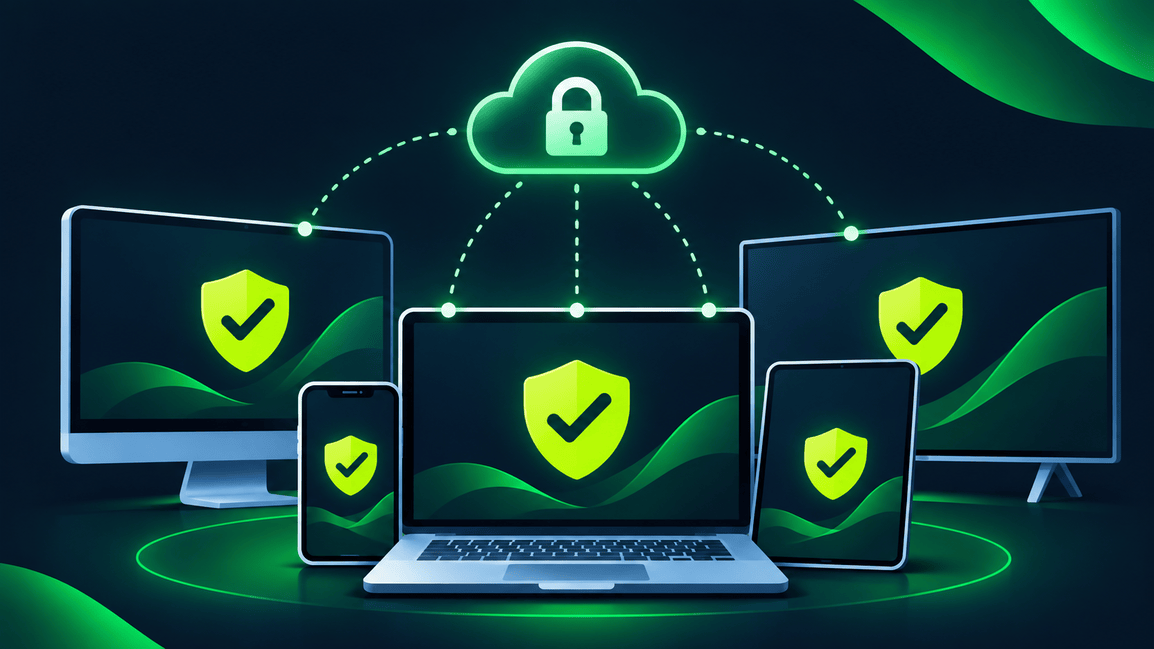
Most people rely on several internet connected devices throughout the day, including smartphones, laptops, tablets, and smart TVs. Using a VPN that supports multiple simultaneous connections allows you to protect these devices through one account instead of purchasing separate subscriptions. This is particularly useful for households where several people access the internet at the same time.
That said, connection limits vary between VPN providers, so check how many devices can connect simultaneously before choosing a plan. The US Department of Defense's VPN guidance also highlights the importance of choosing a suitable VPN provider and reviewing its privacy terms before subscribing.
Protecting Smartphones and Computers
Smartphones and computers frequently connect to different networks, including home WiFi, workplace networks, public hotspots, and mobile data connections. A VPN can encrypt internet traffic between a device and the VPN server, adding privacy when browsing on networks you do not fully trust. Installing a VPN application on both your smartphone and computer also makes it easier to maintain a consistent level of connection privacy when switching between devices.
However, a VPN does not replace antivirus software, operating system updates, strong passwords, or careful browsing habits. The National Security Agency's guidance on securing wireless devices in public settings explains the risks associated with public wireless networks and provides recommendations for protecting laptops, tablets, and mobile devices.
Protecting Smart TVs and Streaming Devices
Smart TVs and streaming devices connect directly to the internet. Depending on the manufacturer and operating system, you may be able to install a dedicated application.
For example, some providers offer applications for Android TV, while others require a compatible router.
Before choosing a service, check whether it supports your particular television platform.
Protecting an Entire Household
Families often have several smartphones, computers, and tablets connected at the same time.
A suitable subscription can make account management easier and reduce the need to purchase individual plans.
However, remember that a VPN provider’s account sharing policy may restrict how unlimited connections can be used.
Connecting Through a VPN Router
A VPN router offers another way to protect many devices.
Instead of installing an application on every device, you configure the VPN directly on a compatible router. Equipment connected through that network can then use the encrypted connection.
This can be particularly useful for devices without native VPN functionality.
Which VPN Offers the Most Simultaneous Connections?
The number of simultaneous connections varies between providers. Some impose a fixed limit, while others offer unlimited connections under particular subscription conditions.
Here are three paid options worth comparing.
Surfshark: Unlimited Simultaneous Connections
Surfshark is one of the best known services for people who want to protect a large number of devices through one subscription.
Surfshark is one of the providers that allows unlimited simultaneous connections on its paid plans.
This means you can install the application across your computers, phones, and compatible televisions without purchasing an additional subscription for every device.
You can also use Surfshark on multiple operating systems, making it convenient for households with different types of equipment.
However, it does not offer a permanently free plan with unlimited connections. You may find a free trial or promotional refund period depending on the current offer and eligibility.
If you want to use Surfshark, review its current subscription conditions before purchasing.
NordVPN: Up to 10 Devices
NordVPN supports up to 10 simultaneous connections under one account.
This is enough for many individuals and smaller households. If you have more equipment to protect, a compatible router can help extend VPN coverage across your network.
NordVPN is my top pick for users who prioritise a broad feature set and do not need unlimited connections.
Its applications are available for Windows, macOS, Android, iOS, and other supported platforms.
IPVanish: Unlimited Simultaneous Connections
IPVanish is another provider worth considering when comparing paid services.
It offers unlimited simultaneous connections under its current subscription policy, making it suitable for users who have many devices.
When comparing IPVanish with other providers, look at its connection allowance, privacy policy, supported platforms, performance, and subscription costs.
Remember that the largest connection allowance does not automatically make a provider the best vpn for unlimited devices. Security and usability matter just as much.
How to Use a VPN on Multiple Devices
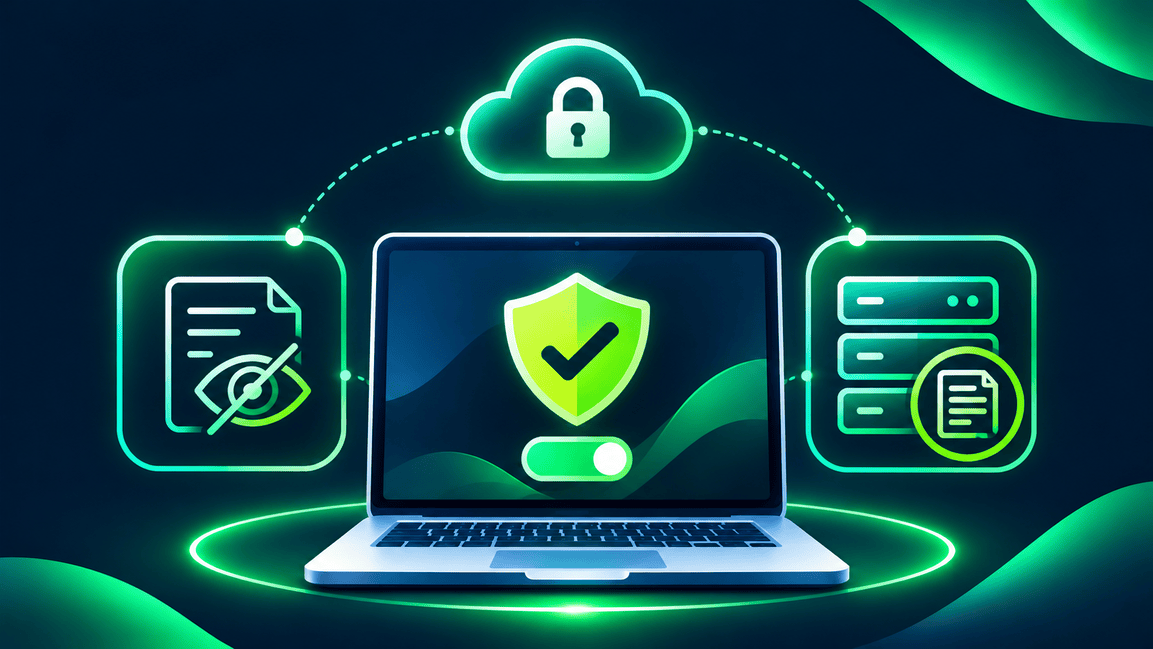
Setting up a VPN across several devices is generally straightforward.
The exact procedure depends on the provider, but most applications follow a similar process.
Choose a provider that supports the number of devices you need.
Create a single account and select the appropriate plan.
Download the application on each supported device.
Sign in using the same account credentials.
Select a VPN server and establish a connection.
Repeat the process on your other devices while staying within the account's connection allowance.
Once configured, you can use the VPN across your devices without creating separate subscriptions.
Do All Devices Have to Connect to the Same VPN Server?
No. In most cases, devices using the same account do not need to be connected to the same VPN server.
For example, your laptop could connect to a server in the United States while your phone connects to a server in Germany.
This depends on the provider's technical restrictions and connection policies.
If you use a VPN for streaming services, remember that different server locations may affect which regional content is available.
Can I Install One VPN Application on Every Device?
That depends on the provider's supported platforms and account conditions.
Most established services offer applications for Windows, macOS, Android, and iOS. Some also support Linux, Android TV, and selected smart TVs.
If your device does not support a dedicated application, a compatible router may provide an alternative.
Connecting Multiple Devices Through a VPN Router
A VPN router can be a practical solution when you want to protect many devices without installing an individual application on each one.
Once configured, the router establishes the connection and routes compatible network traffic through the selected server.
This can cover equipment such as:
Smart TVs.
Gaming consoles.
Desktop computers.
Laptops.
Smartphones.
Tablets.
Other connected home equipment.
There are a few things to consider before setting up a VPN router.
First, not every router supports VPN client functionality. Check the manufacturer's specifications before purchasing one.
Second, router performance matters. A low powered router may struggle when encrypting traffic for several devices simultaneously.
Finally, all devices using the router connection may appear to come from the same server location.
A router is therefore useful for protecting multiple devices, but it is not necessarily the simplest option for everyone.
How We Assess VPNs for Multiple Devices
Choosing a VPN for multiple devices requires more than checking the connection allowance.
A provider should also offer reliable performance, suitable applications, and clear privacy information.
Our comparison considers the following factors.
Simultaneous connection allowance: We examine the number of simultaneous connections permitted under each free and paid plan.
Free plan restrictions: We distinguish between free and paid account allowances. A provider advertising unlimited devices may still restrict its free plan.
Supported platforms: We consider applications available for Windows, macOS, Android, iOS, and Linux.
Data allowances: Monthly data limits can make a significant difference when protecting multiple devices.
Privacy practices: We examine whether providers explain their logging policies, encryption, and information handling clearly.
Router support: Compatibility with a VPN router can help users protect additional equipment.
Ease of use: A reliable VPN should make it easy to sign in, connect, change locations, and manage settings.
These factors help distinguish services that genuinely support multiple simultaneous connections from those that simply advertise a large number of supported devices.
How Does Shieldway VPN Fit Into the Picture?

When choosing a VPN, the number of supported devices is only one part of the decision. You should also consider the protocol, server availability, privacy policy, and ease of use.
Shieldway VPN uses WireGuard and advertises more than 90 server locations. It also provides applications for Windows, macOS, and 64 bit Linux.
Its advertised features include a kill switch and private DNS, alongside its approach to connection privacy.
For users interested in modern VPN technology, Shieldway is another service worth researching.
You can explore the Shieldway VPN website to learn more about its features and available applications.
It is important to distinguish between supported platforms and simultaneous connection allowances. Having an application for various devices does not automatically confirm that one account supports unlimited simultaneous connections.
Check the current account terms before deciding whether the service meets your requirements.
You can also read our guides on how VPN providers make money and the best no logs VPNs to understand how privacy policies and business models differ.
Multiple Device VPN FAQs
Which free VPNs support multiple devices on one account?
Windscribe Free is a strong option because it allows unlimited simultaneous personal device connections. PrivadoVPN Free and Proton VPN Free allow installations across different devices, but both restrict free accounts to one active connection at a time.
How many devices can you connect at once with a free VPN?
It depends on the provider. Windscribe supports unlimited simultaneous personal connections, while PrivadoVPN Free and Proton VPN Free allow one active connection at a time.
Does Windscribe allow unlimited devices on its free plan?
Yes. Windscribe confirms that free accounts support unlimited personal devices simultaneously. However, the free plan includes a monthly data allowance of up to 10 GB with a confirmed email address.
Can I use PrivadoVPN Free on all my devices?
You can install PrivadoVPN on multiple devices, but its free account permits only one active connection at a time. Its paid plan supports up to 10 simultaneous connections.
How do I set up one VPN account on multiple devices?
Download the application on each supported device and sign in using the same account. Connect each device separately while staying within the connection allowance of your subscription.
Are free VPNs safe and reliable for multiple devices?
Some free services offer useful security features, but quality varies. Choose a provider with transparent privacy policies, clear information about data collection, and established encryption protocols. Do not assume that every free service provides the same level of VPN protection.
Do free VPNs limit simultaneous connections or data use?
Yes. Many free plans impose restrictions on monthly data, server locations, connection speeds, or the number of active connections. Windscribe is a notable exception regarding its device allowance, although its free data remains limited.
Can I share one VPN account with family or friends?
It depends on the provider's account sharing policy. Some services allow family members to use one subscription, while others restrict unlimited connections to the account holder's personal devices.
Can a VPN router protect multiple devices through one connection?
Yes. A compatible router can establish an encrypted connection and protect devices connected through its network. This is particularly useful for smart TVs, gaming consoles, and other equipment that does not support a dedicated application.
Do all my devices have to be connected to the same VPN server?
No. Many services allow different devices under one account to connect to different server locations. However, this depends on the provider's technical restrictions.
Does unlimited device use apply to free accounts too?
Not always. Some services offer unlimited connections exclusively with paid subscriptions. Windscribe is a notable exception because its free plan also supports unlimited simultaneous personal devices.
Can I use a free VPN on my phone and laptop at the same time?
Yes, provided the service allows at least two simultaneous connections. Windscribe supports this on its free plan, while PrivadoVPN Free and Proton VPN Free restrict users to one active connection at a time.
Which VPN offers unlimited device connections?
Windscribe supports unlimited simultaneous personal device connections on its free plan. Surfshark and IPVanish also offer unlimited simultaneous connections through their paid subscriptions.
Is a VPN router better than installing an application on every device?
Not necessarily. A router can protect several devices through one connection, but it requires compatible hardware and configuration. Individual applications are usually easier when you want different server locations or settings across your devices.
What is the fastest VPN for multiple devices?
The fastest VPN depends on your internet connection, server location, encryption protocol, and the provider's infrastructure. Look for a service that uses modern protocols such as WireGuard, offers reliable servers, and maintains good speeds when several devices are connected simultaneously.
How can I make sure my devices are protected across all my devices?
To ensure your devices are protected across all your devices, install a trusted VPN application on each supported device. Check that the VPN is connected, enable features such as the kill switch where available, and review the provider's privacy settings.
How many connections per account does a VPN usually allow?
The number of connections per account varies between providers. Some allow 5 or 6 devices, others support 10 simultaneous connections, while services such as Surfshark offer unlimited simultaneous connections on eligible paid plans.
What is Double VPN, and do I need it?
Double VPN routes your internet traffic through two VPN servers instead of one, adding an extra layer of encryption. However, it can reduce connection speeds. Most users do not need this feature for everyday browsing, so consider whether the additional privacy is worth the performance trade off.
Can I use a VPN on 6 devices at the same time?
Yes, provided your VPN subscription supports at least six simultaneous connections. Check the provider's connection policy before purchasing, as some plans allow installations on many devices but restrict how many can connect simultaneously.
Can I use multiple devices with one VPN subscription?
Yes. Many VPN providers allow you to use multiple devices with one VPN subscription. Depending on the service, you may be able to connect your laptop, smartphone, tablet, and other compatible equipment simultaneously through a single account.
Does a VPN protect all my mobile devices?
A VPN can protect supported mobile devices, including Android smartphones, iPhones, and tablets. Install the official application, sign in, and connect to a VPN server. Remember that protection applies to traffic routed through the active VPN connection and does not replace antivirus software or safe browsing habits.
Conclusion: Which Free VPN Should You Choose?
Choosing the right VPN depends on how many devices you need to protect, the features you expect, and whether you prefer a free or paid subscription. If you have devices like smartphones, laptops, tablets, and smart TVs, look for a service that allows multiple connections and offers reliable applications across different platforms. Consider the apps available for Windows and other operating systems, as well as the provider's privacy policy and security features, to ensure your devices stay safe.
Windscribe is a strong free option if you want to connect unlimited devices through one account, although its monthly data allowance is limited. For paid alternatives, Surfshark and IPVanish offer an unlimited number of simultaneous connections, while NordVPN supports up to 10 devices. This list of the best VPNs provides several options depending on your budget and requirements, and some are certainly one of the best vpns for households with many devices to protect.
However, connection limits are only one part of the decision. You also need a reliable VPN with modern encryption, good performance, and applications that make everyday protection straightforward.
This is where Shieldway VPN stands out as our recommended solution. With WireGuard technology, more than 90 server locations, a kill switch, private DNS, and apps for Windows, macOS, and 64 bit Linux, Shieldway VPN offers a practical combination of security, performance, and ease of use. If you are looking for a modern VPN solution to protect your devices safely, Shieldway VPN is the service we recommend exploring first.